
Identifying Email Scams
In the digital age, email scams such as "phishing" attacks have become increasingly sophisticated. These deceptive emails aim to manipulate recipients into divulging sensitive information or downloading malicious software. Recognizing and responding to these threats is crucial for protecting your personal information.
A good rule of thumb in dealing with emails is to be especially wary of an email that asks you to perform an action that seems a little out of sorts for the sender. For example, if the sender is asking you to buy gift cards which you know are verboten in your district, there’s a good chance the email is a scam.
- Check the Source: Scrutinize the sender's email address. Scammers often mimic legitimate addresses with subtle differences. You can’t rely on the sender’s avatar either. I’ve seen scammers grabbing a public photo of a principal and putting that as the email avatar.
- Beware of Urgency: Scams frequently use urgent language to prompt hasty actions. Always question the need for immediate response. Especially if the sender says to not try to text or call.
- Grammar and Spelling: Professional organizations rarely send out emails with poor grammar or spelling errors. These mistakes are often telltale signs of a scam. This is getting harder to identify since scammers have been moving on to using generative AI to write their emails.
- Suspicious Attachments or Links: Avoid clicking on links or downloading attachments from unknown or unsolicited emails. Routing emails with a .zip attachment to the tech director for vetting is a best practice.
- Request for Personal Information: Legitimate organizations won't ask for sensitive details like passwords, two- factor codes, or bank information via email.
- Check the destination urls for links: Mouse over any links before you click on them and double-check they're going where you think they're going. When in doubt, type the address into the URL bar.
Actionable Steps to Protect Yourself
- Independent Verification: Contact the purported organization using a phone number or website you know is genuine.
- Software: Regularly update your browser and other apps you use.
- Enable Email Filters: Most email services offer filters that help detect and isolate spam and phishing emails.
- Educate Yourself: Stay updated on the latest phishing techniques and trends.
- Report Suspected Scams: If you have any question about the validity of an email, forward the email to your technology department.
- Use Multi-Factor Authentication: This adds an extra layer of security, making it harder for scammers to access your accounts.
- Use a Password Manager: Don't re-use the same password for different sites. Use a password manager to create a password that is unique for the site.
Being aware and informed is your best shield against email scams. Stay vigilant, stay informed, and stay safe!
Tips and Tricks
Google Sheets and Microsoft Excel have a “Paste as Transposed” feature, which lets you copy across columns and paste as rows or vice versa. I was cleaning up some data and needed to move data that was across columns into one column by rows. At first I was looking at entering some formulas when I came across the ability to “Paste as Transposed.” To “Paste as Transposed,” copy your data, but instead of just pasting it, use the drop down with the paste button in your toolbar to access the “Paste as Transposed” button.
When a website isn’t working right hold down the shift key when clicking the refresh button in the toolbar. This will force the browser to re-download everything required for the website and can usually fix weird issues. This works because your browser will download scripts, graphics, and other data for a website and cache it locally, saving you time from having to re-download it. However, sometimes this cache gets out of date and a shift-refresh will fix the problem.
You can enlarge the closed captioning text in YouTube. After turning on closed captioning for a video, the + key on the keyboard will increase the text size while the - key will decrease the size.
Learn21 Update
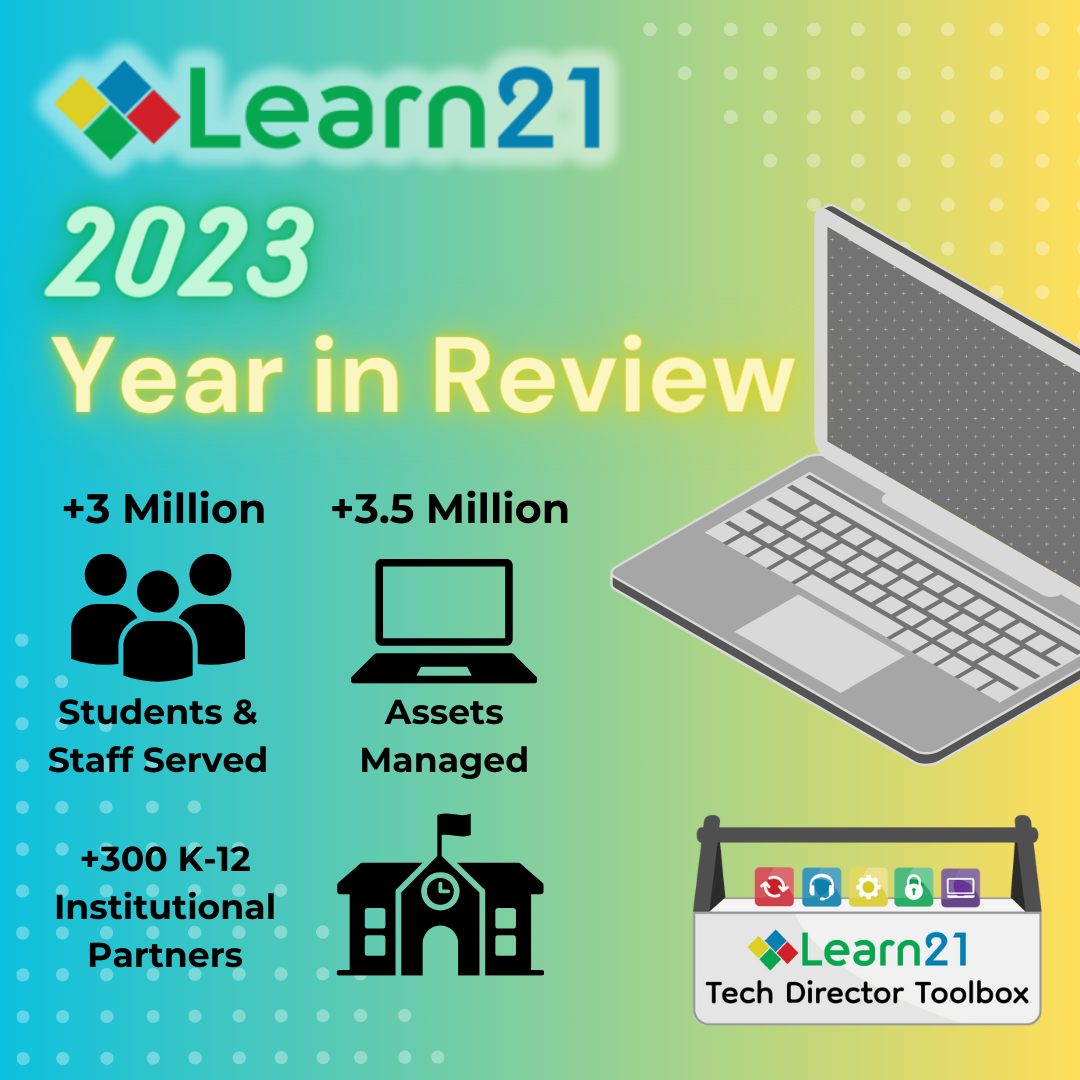
2023: A Year of Milestones and Progress for Learn21
As we bid farewell to 2023, we are reflecting on a year filled with remarkable achievements and significant advancements for the Learn21 team.
Tech Director Toolbox
One of our highlights this year was the announcement of our Tech Director Toolbox, TDT, suite of tools. TDT's comprehensive suite has revolutionized our approach to educational technology, providing an array of resources designed to meet the specific needs of K-12 educational institutions.
TDT-Asset
Our commitment to innovation was evident through the rebranding of One2One Manager as TDT-Asset; a move that streamlined our offerings and enhanced accessibility for all inventory housed in educational institutions.
TDT-Helpdesk
The inception of the TDT-Helpdesk and our innovator program marked another milestone. Over 40 schools and districts are actively participating and contributing to the evolution of our support tools. The innovators initiative underscored our dedication to fostering collaborative partnerships and user-centric solutions with schools across the country.
As we reflect on these milestones, we remain steadfast in our mission to revolutionize education, empower educators, and enrich the learning experience for students across the nation. We are filled with hope as we continue to grow and provide innovative technology solutions to schools.
Here's to a new year filled with progress, partnerships, and unwavering dedication to our vision for the future of education.
Extra Credit
When you’re performing high level cognitive tasks the brain requires a ton of energy. For an organ that compromises 2% of your body weight it’s amazing that it can consume up to 20% of your energy.
One thing I’ve noticed about getting older (besides the aches, pains, and other health issues) is that I’m having a harder time daydreaming. I used to be able to have these elaborate daydreams, being able to continue them over days at a time. Nowadays it requires more effort, maybe I’m just out of practice. However, this is becoming more important with researchers realizing that daydreaming has purpose in our lives besides just a nice respite from the day to day drudgery. We are wired to daydream.
For all you math teachers out there, here’s a book to get excited about, The Secret Lives of Numbers - Archive link. Math is on my list for my third favorite career, behind educational technologist but before librarian. This book looks awfully cool, I’m adding it to my wishlist.
An insightful look at where we are with encouraging student curiosity. Along the same lines, here’s Sir Ken Robinson’s Ted Talk Do Schools Kill Creativity (has it really been 16 years since this was released?). Seth Godin also touched on it in his free ebook Stop Stealing Dreams (what is school for?).
Bytes and Insights is written by Eduk8me’s Ryan Collins who writes about education and educational technology. He’s also the Director of Technology for Kenton City Schools in Ohio. Sign up for his Of Bits and Bytes newsletter at https://eduk8.me.