
Learn21 believes in giving back to the edtech community and is proud to share with you, free of charge, our weekly edtech update. This update will be delivered weekly and include the following sections:
- EdTech Article of the week
- Tips & Tricks
- Learn21 Update
- Extra Credit
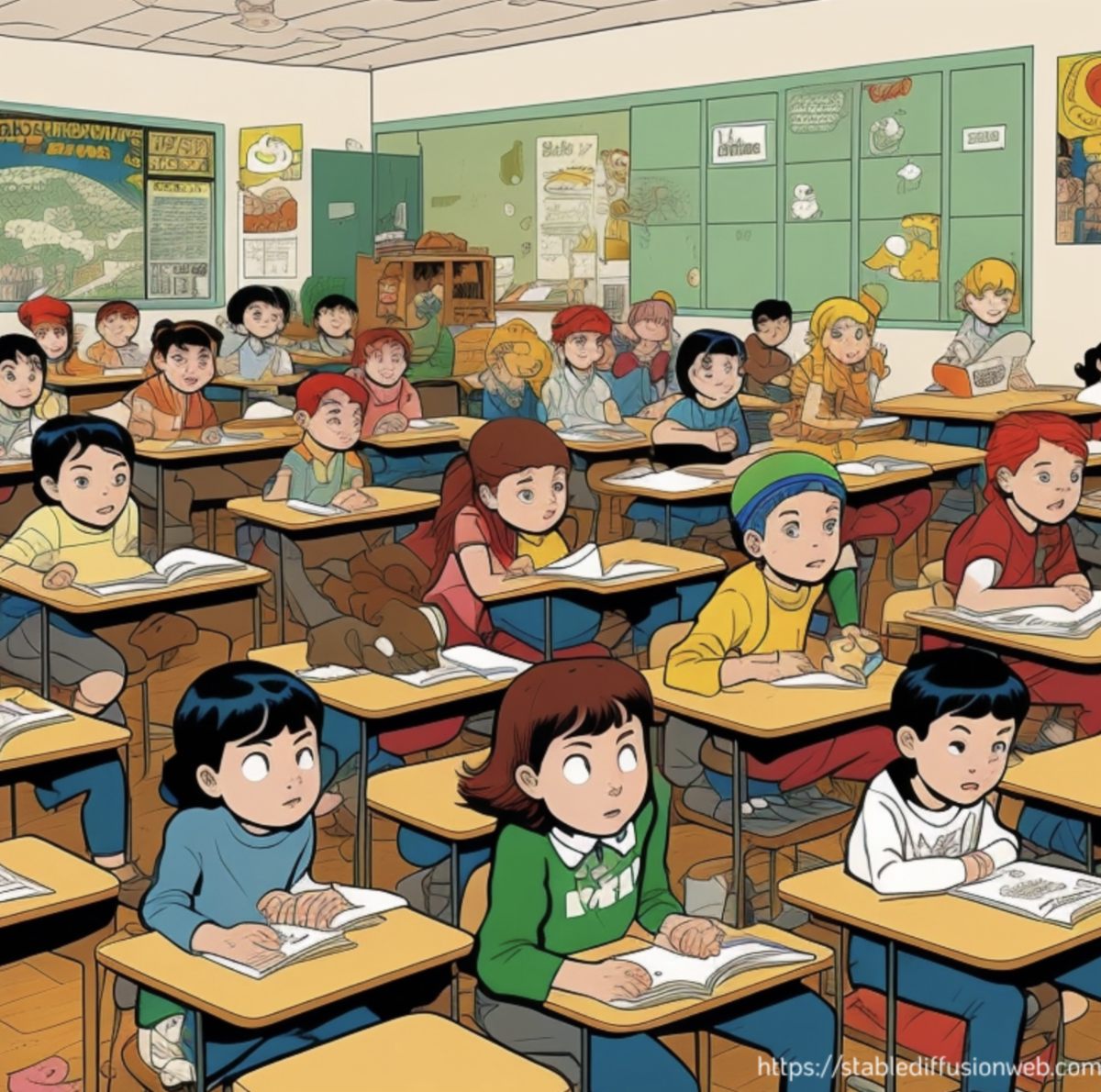
The Importance of Boredom
People don’t like to be bored. So much so that they would rather be shocked than left alone with their thoughts. In the first part of this experiment from the University of Virginia, participants were given two choices: they were given a specific topic on which to think or they could think about whatever they wanted. Participants would do one or the other for 6-15 minutes. Fifty percent of both groups did not like the experiment.
For the next stage, participants were left alone for 15 minutes in a room where they could push a button to shock themselves if they wanted to. At the end of the experiment, 67% of men and 25% of women chose to shock themselves instead of sit quietly and think.
Nowadays, most people pull out the phone within 30 seconds of waiting instead of going down the path of boredom. But, they are missing out on the benefits of being bored:
- Enhances creativity
- Develops planning strategies and organizational skills
- Builds curiosity
- Increases self-control
These are but a few of the ways that boredom has benefits. We, as educators, are in a position to help our students at least tolerate those moments throughout the day when they will be bored.
Tips & Tricks
Creating QR codes in the browser
Google Chrome and the other Chromium based browsers such as Edge and Brave have a built in QR code creator. To use it, navigate to the website of which you want to create a QR code for and press the share icon in the URL bar.
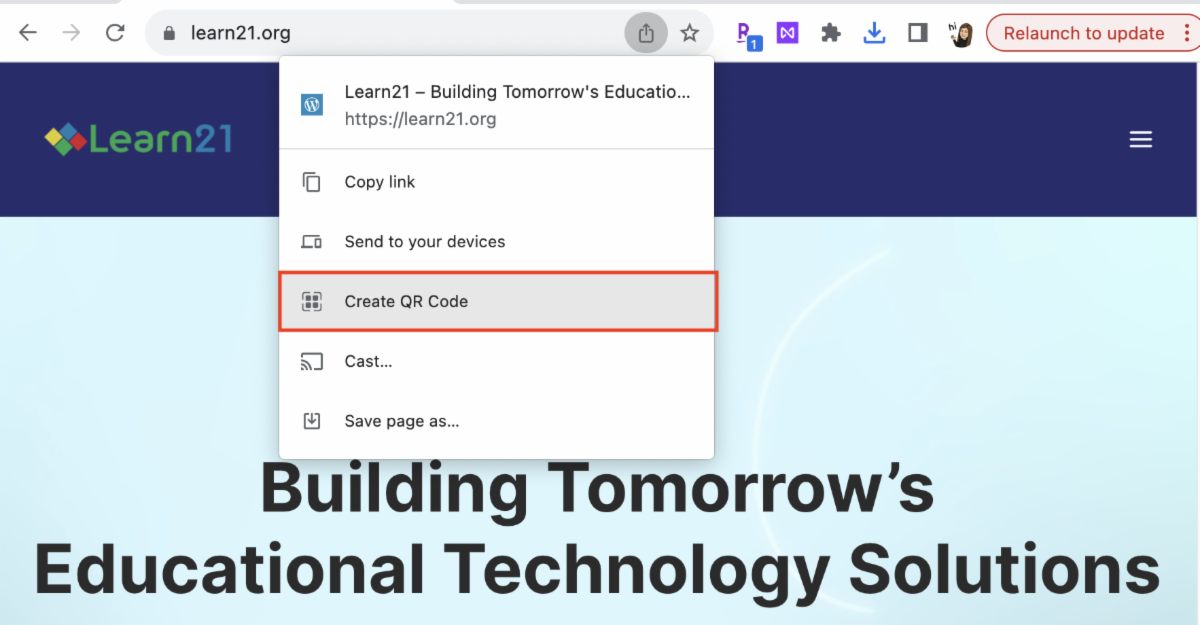
From there you can copy the QR code to your clipboard for pasting into other documents or download the QR code. You can also right-click anywhere on the page and use the Create QR Code for this page menu item.
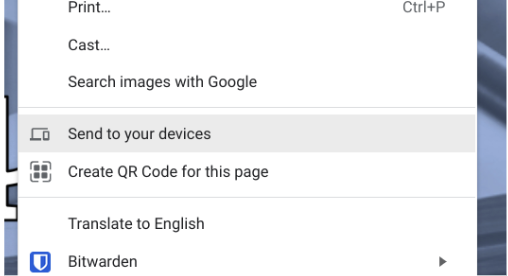
This also works when using Chrome on your Android or iPhone and their respective share menu.
Travel to Historical Places
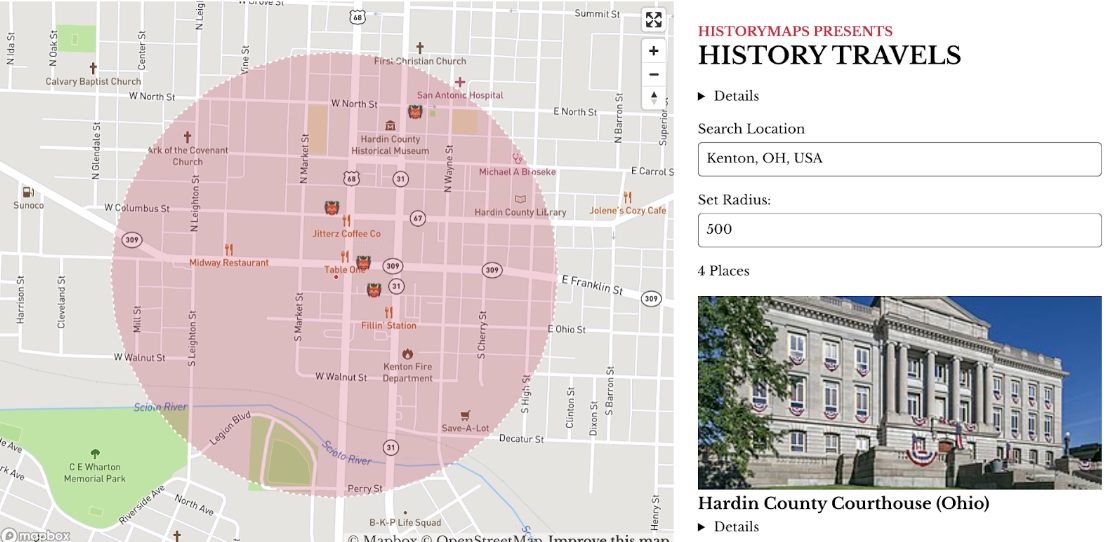
Have you wanted to know what historical places are close by? Then check out History Travels. After entering a location, it will overlay historical places on the map of that location.
Editing in Google Photos
Google Photos has added a bunch of tools for editing your photos. They appear after you click on a photo.

There are four tabs for organizing the tools.
- Suggestions: Three buttons to apply some quick fixes. These are Enhance, Warm, Cool.
- Crop: Crop and rotate your photo. There are also some handy aspect ratio buttons for you to use.
- Adjust: Change all sorts of things, from brightness to warmth.
- Filters: Who doesn't love filters?
After making changes to your photo you have options to save those changes. Pressing the Save button will save the photo with the changes, however, you can always revert the changes. If you click on the three dot menu beside the Save button you can save the changed photo as a copy. I almost always save a copy, but I'm also a pack rat.
Learn21 Update
In our recent TDT-Asset Webinar, Joshua Fritz, Director of Client Engagement and Success, provided an insightful overview of important topics related to incident management and new software features in TDT-Asset.
The agenda for the session included:
1. Introduction to the rebranded Tech Director Toolbox - Asset Manager (TDT-Asset).
2. An in-depth look at the new insights on the home page in TDT-Asset.
3. Detailed guidance on incident management, covering the creation and closure of incidents.
4. How to use the repair center.
5. An overview of the part center.
6. Introduction to the improved fee center.
A key highlight was the customizable incident issues feature, giving users more control and flexibility. Attendees also learned about efficient methods for tracking incidents and the advantages of utilizing the repair pickup form.
He discussed the ease of filtering and accessing incident information in the software, reducing the need for extensive report generation.
Finally, the webinar covered incident details, work orders, and incident reports. Notably, Joshua introduced new features in the parts center and explained how they would enhance inventory tracking and management.
The webinar, which you can view in TDT-Asset under Help > Interactive Guides > View our Past Webinars, provided an informative overview of incident management and new features. Attendees gained valuable insights into the rebranded TDT-Asset Manager, incident management workflows, and customizable incident issues. With this webinar, participants were well-prepared to make the most of the software's capabilities and stay up-to-date with the latest enhancements.
Extra Credit
Google's emoji smash up tool which was previously available on mobile in the Gboard keyboard is now available on the web. Emoji Kitchen shows when you search for "Emoji Kitchen" on Google. Once you start cooking, you can select two emojis to be combined, so if you've ever needed to show a unicorn's mind being blown, you can now.

This past week we lost Dennis Austin, the software developer who created PowerPoint. PowerPoint has become such a powerful tool, being usable for not only presentations but for animations.
For all you science aficionados, here's a deep dive into what it means to have accurate time. It blows my mind that there is a clock accurate enough to prove Einstein's Theory of Relativity by raising the clock only one centimeter.
Bytes and Insights is written by Eduk8me’s Ryan Collins who writes about education and educational technology. He’s also the Director of Technology for Kenton City Schools in Ohio. Sign up for his Of Bits and Bytes newsletter at https://eduk8.me.