
Insights from ISTELive 2024: The Learn21 Experience
As an ISTE Affiliate, Learn21 proudly participated in ISTELive 2024, showcasing our commitment to advancing educational technology and supporting ISTE’s invaluable work. This year’s conference, held from Saturday, June 22 to Wednesday, June 26 in Denver, was a hub of innovation, collaboration, and inspiration for educators and technology enthusiasts from around the globe.

The Power of Collaboration at ISTELive
ISTELive is more than just a conference; it is a convergence of minds, a breeding ground for innovative ideas, and a platform for meaningful collaboration. The conference provided us with a unique opportunity to connect with fellow educators, technologists, and thought leaders, exchanging ideas and forging partnerships that will drive future educational advancements.
The dynamic sessions, interactive workshops, and thought-provoking discussions at ISTELive 2024 underscored the importance of collaborative efforts in tackling the challenges and harnessing the opportunities in educational.
At Learn21 we are proud to be part of this vibrant community that continually strives to improve education through technology.
Highlighting Learn21 Sessions
The Learn21 Team contributed several engaging and informative sessions, each tailored to address critical areas in education technology. Here's a brief overview of our contributions:
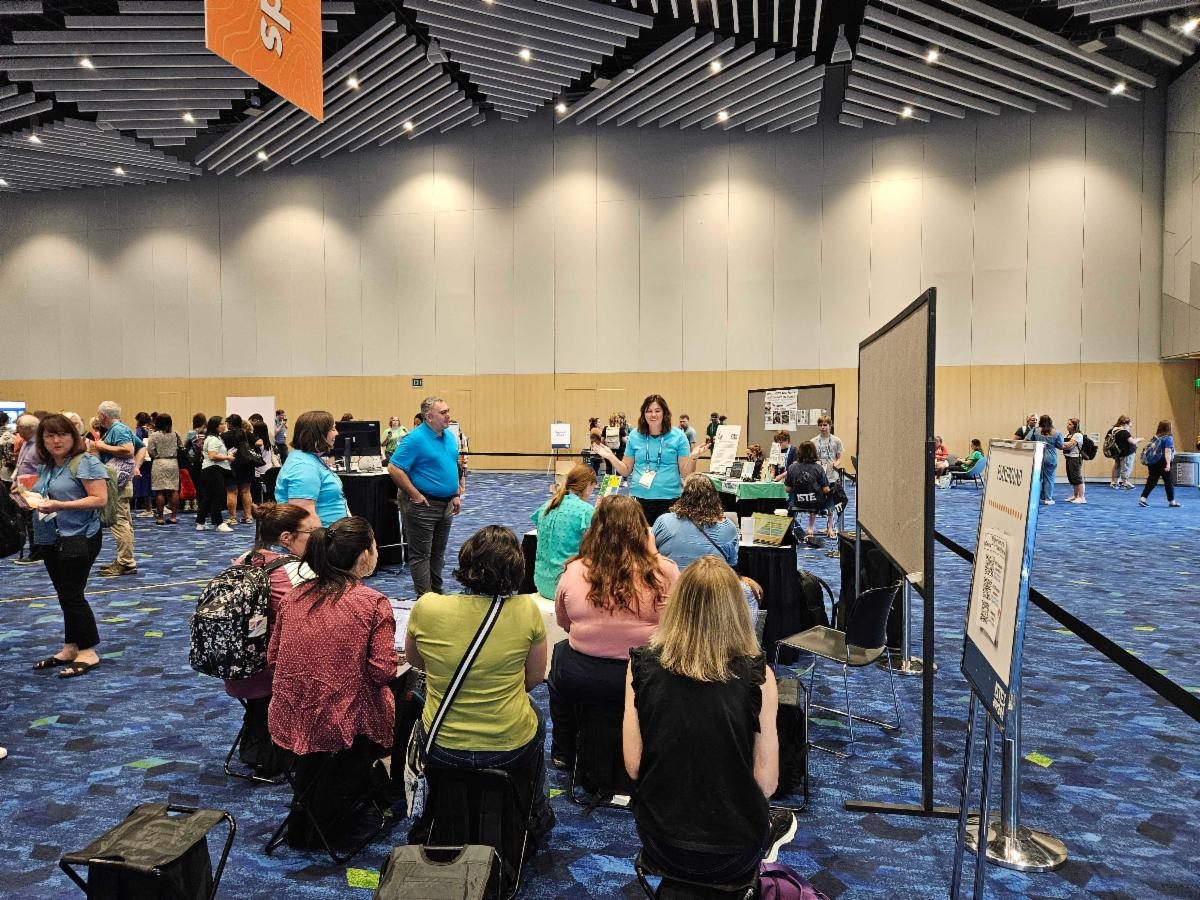
Higher-Order Thinking Playground
Presenters: Carly Ghantous, Erica Shumaker, and Stacy Hawthorne, EdD
This session provided a dynamic environment for educators to engage in higher-order thinking activities. Following our mantra of #PDThatDoesn’tSuck, the team created a game show to highlight innovative strategies to enhance higher-order thinking in the classroom.
Beyond the Firewall: Pioneering Cybersecurity Strategies in K12 Education
Presenters: Kevin Ghantous, Tom Ashley, Frankie Jackson, David Jarboe, and Carolyn Glaser
This panel discussion focused on cutting-edge cybersecurity strategies tailored for K-12 education. It provided valuable insights into safeguarding educational environments in the digital age.

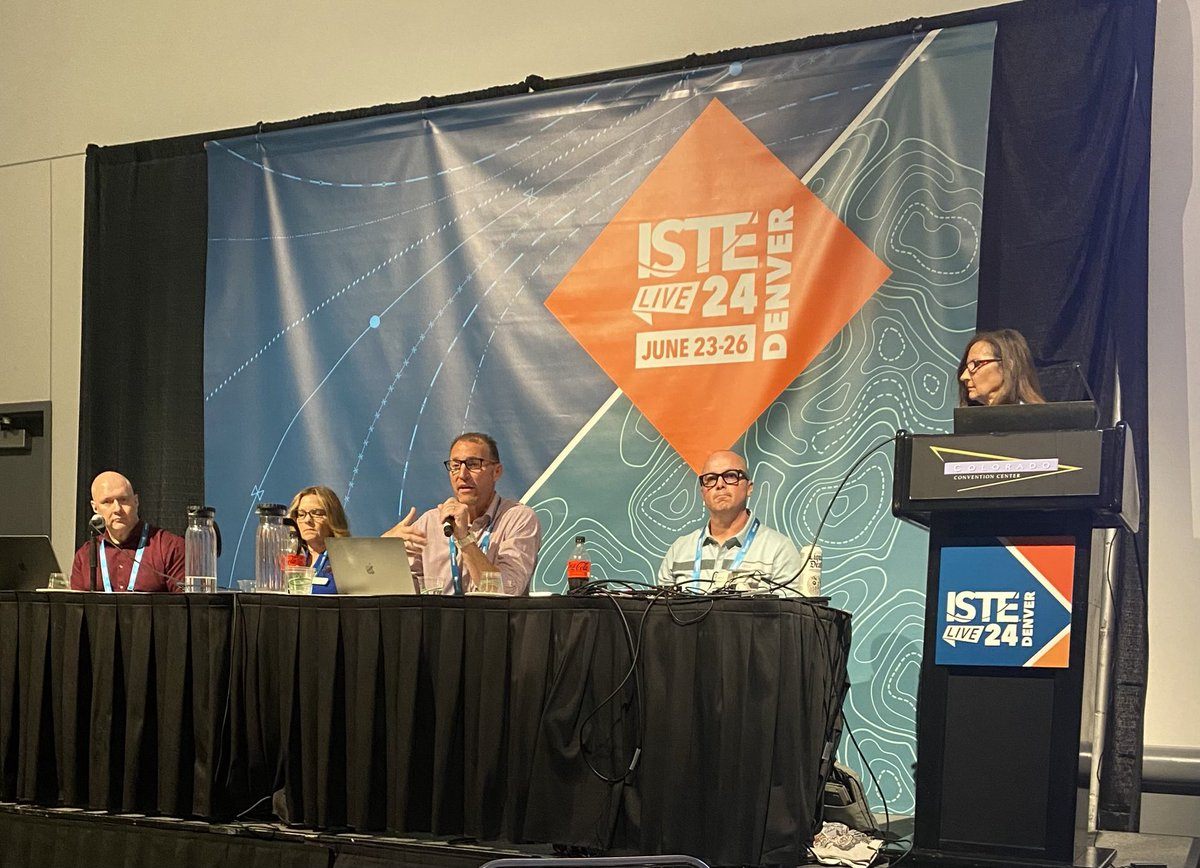
The New Heightened Cybersecurity Leadership Imperative
Presenters: Frankie Jackson, Stacy Hawthorne, Ed.D., Rich Boettner, Robert Dickson, and Sean Whelan
This session addressed the urgent need for enhanced governance in cybersecurity, following the addition of Govern to NIST national standards. It underscored the importance of robust cybersecurity measures in protecting educational institutions. You can read more about this session from EdTech Focus on K-12.
Educator Voices Lightning Talks
Presenter: Carly Ghantous
Carly delivered a lightning talk on the ISTE Mainstage on Tuesday, June 25. Her presentation, "Pivot, Don’t Panic," highlighted ways that educators can adapt to the changes around them.
ISTE Ignite Session
Presenter: Stacy Hawthorne, EdD
On Wednesday, June 26, Stacy led an inspiring Ignite session, "Pushing Forward." She engaged the audience with rapid-fire insights and innovative ideas to push forward without burning out.

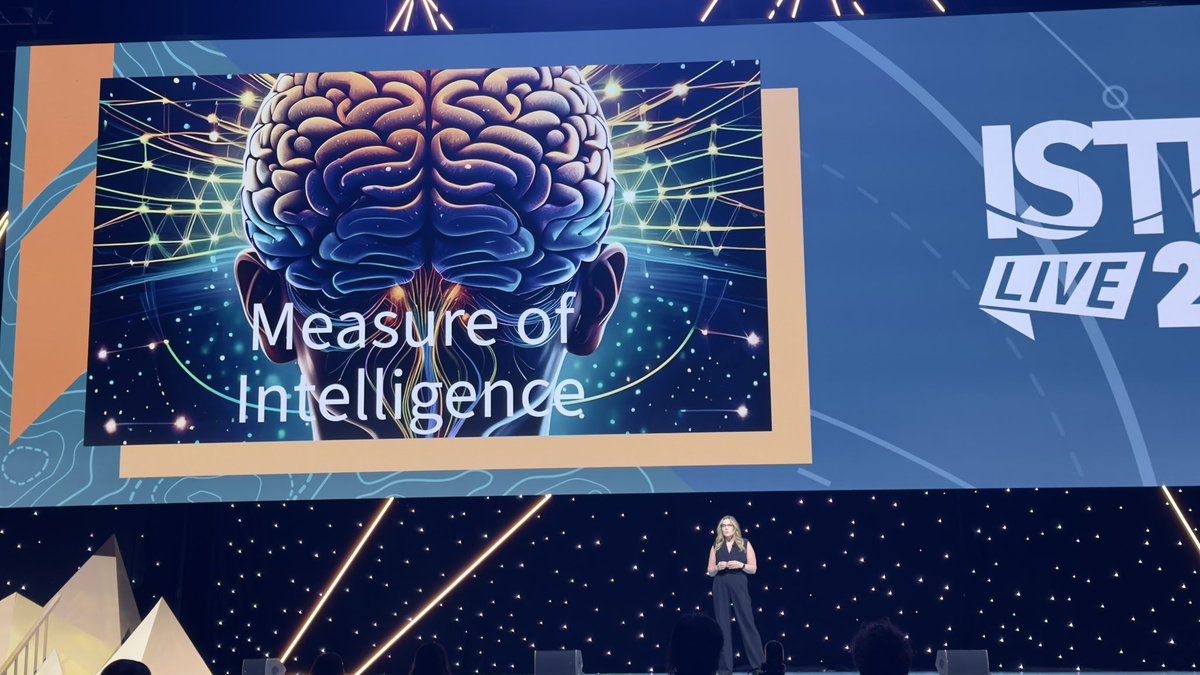
Recognizing Excellence: Stacy Hawthorne Named a ISTE 20 to Watch
We are thrilled to announce that our Chief Academic Officer, Stacy Hawthorne, Ed.D., was named a recipient of the prestigious ISTE 20 to Watch award. This accolade honors individuals who are pushing the boundaries of education and technology, and Stacy's innovative contributions and leadership exemplify the spirit of this award. Her recognition as one of the 20 to Watch highlights her dedication to enhancing educational practices through technology and her commitment to inspiring educators worldwide. We’re watching, Stacy - what’s next?

Learn21's Commitment to ISTE
As an ISTE Affiliate, Learn21 is dedicated to supporting and amplifying ISTE's mission to inspire educators worldwide. Our participation in ISTELive 2024 reaffirms our commitment to advancing educational technology and fostering a collaborative environment for continuous improvement.
We invite you to explore more about ISTE and join us in supporting their vital work in transforming education. Visit the ISTELive 2024 conference webpage to learn more about the conference. We hope to see you there next year in San Antonio!
Tech Tools for the Not-So-Tech-Savvy Teacher
In today's rapidly evolving educational environment, technology is playing an increasingly pivotal role. However, not every teacher feels comfortable navigating this digital world. There are many tech tools that even the most tech-averse educators can begin using in their classroom. Let's explore some user-friendly options that can enhance your teaching without causing tech-induced headaches.
Document Cameras
A document camera is an incredibly powerful tool. It's like an overhead projector but better. You can place any physical document, book, or object under the camera, and it will display the image on a screen for your entire class to see. This is perfect for demonstrating techniques, showcasing student work, or even reading aloud from a book. It's straightforward to set up and use, making it ideal for teachers who prefer tangible, hands-on tools.
Visual Timers
Visual timers are an effective tool to manage classroom time. These timers can be set up to count down from a specified time, with a visual representation of the remaining time. They help students manage their tasks more effectively and maintain focus. Many visual timers are available as standalone devices or as apps, both of which are easy to operate.
Podcasts
Podcasts are a fantastic way to introduce new topics, provide supplementary material, or give students a break from traditional learning formats. Using a podcast player app or website is straightforward. Simply find a podcast that aligns with your lesson plan, press play, and let the learning begin. There are countless educational podcasts available, covering virtually every subject imaginable.
Digital Notebooks
Digital notebooks, like Microsoft OneNote or Google Keep, are great for organizing lesson plans, taking notes, and sharing materials with students. These platforms can not only store regular notes, but they have additional benefits such as the ability to search your notes, add multimedia, and collaborate with others. You can start by creating a journal in a note, writing down information that you may need later or to document your day. As you become comfortable, you can gradually explore other features.
Conclusion
Incorporating technology into your classroom doesn't have to be daunting. By starting with these user-friendly tools, you can gradually build your confidence and comfort level with educational technology. Remember, the goal is to enhance your teaching and engage your students, not to become a tech expert overnight. Take it one step at a time, and soon you'll find that these tools can make your life easier and your teaching more effective.
Tips and Tricks
No document camera? No problem
You can use almost any smartphone or tablet as a document camera for free by utilizing the website vdo.ninja and a locker shelf. To start, visit https://vdo.ninja on the smartphone. Click on Add your Camera to OBS. Select the camera to use (front or back) and turn off the audio. Click Start. Once the camera is being shared, a view url will display on the phone at the top of the screen. Enter the address into your computer and you’ll be viewing the smartphone camera.
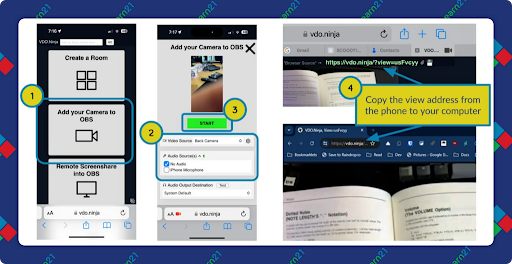
To hold the camera, you can place it on a locker shelf, use a smartphone stand, or search YouTube for a variety of ways to hold it.
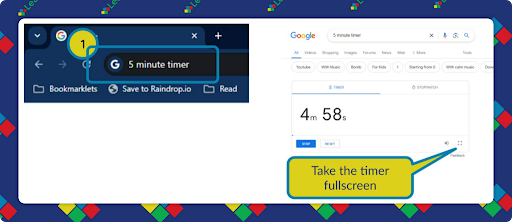
Google Search is one of the quickest timers to implement
Need a five minute timer? Type 5 minute timer into Google.
Use any length of time you want. For fancier timers, search YouTube for timer videos.
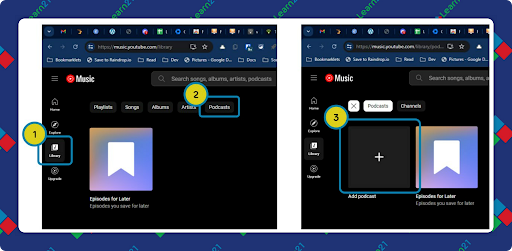
Using YouTube Music to subscribe to Podcasts
To get started with podcasts, you can use YouTube Music to follow podcasts and it doesn’t require a subscription. Open up music.youtube.com to start. Click on Library and the Podcasts. From there you can click the + to follow podcasts or click on the podcast to listen to it.
Extra Credit
Google Workspace for Education made several announcements at ISTELive 2024, including a way for teens to learn how to use AI responsibly. Additionally, new features like Google Vids for video creation and Read Along for reading skills are designed to enhance teaching and learning experiences in classrooms. As you look at the new features, you'll need to check if they will be available in the Google Workspace for Education edition that is available to you in your district.
Two Carnegie Mellon professors, Suguru Ishizaki and David Kaufer, are looking at using AI to show students how to improve their writing skills. They developed "restrained generative AI" to help students improve their writing with a tool called myScribe, which turns notes into prose without adding new ideas. They created a tool called myScribe to reduce the cognitive load of sentence generation, enabling students to focus on their ideas and overall structure rather than getting bogged down in early sentence crafting. The professors believe that by automating remedial writing tasks, students can better engage with their writing process and improve the quality of their thinking.
Here are some of the ways one teacher tries to detect AI-generated writing. However, suspected AI use should prompt conversations with students to educate them about the issues with AI-generated work rather than immediate disciplinary actions.
🙋♂️ Bytes and Insights is written by Eduk8me’s Ryan Collins who writes about education and educational technology. He is also the Director of Technology for Kenton City Schools in Ohio. Sign up for his Of Bits and Bytes newsletter at https://eduk8.me!