
Join Us at the ETLA Conference 2024!
We are excited to announce that registration for the EdTech Leaders Alliance Conference, formerly the Ohio CoSN-ISTE Conference, is open! Taking place from October 20-22, 2024, at the Nationwide Conference Center in Columbus, Ohio, this event is an unmissable opportunity for educational leaders.
The ETLA annual conference, powered by Learn21, brings together leaders from Ohio ASCD, ISTE, and CoSN. This is your chance to engage in workshops, innovative sessions, and dynamic keynote addresses that focus on making a difference in education.
Conference Details
- When: Sunday, October 20 - Tuesday, October 22, 2024
- Who: CTOs, Tech Directors, Superintendents, Principals, Curriculum Directors, Administrators, Technicians, Emerging Leaders, and EdTech Visionaries
- Where: Nationwide Conference Center, Columbus, Ohio
Spectacular Keynote Addresses
We have several Keynote speakers that that will be making this year's conference one to remember. We are thrilled to feature a lineup of inspiring keynote speakers:
- Colin Seale: A critical thinking expert and advocate for educational equity.
- Jen Mott: An innovative Ohio educator and administrator known for her work in technology integration.
- Ken Shelton: A renowned speaker on educational technology and equity.
- Keith Krueger: The CEO of CoSN, bringing insights on the state of edtech in K-12.
Social Events
Join us for numerous networking opportunities, including evening socials and interactive sessions designed to foster collaboration and idea exchange among attendees.
We start on Sunday with an afternoon at TopGolf with friends. Your full conference registration includes snacks, beverages, and golf! We will also have a live DJ at the Conference Center Sunday evening to kick off the conference.
Monday after our Ohio educators Keynote and OH Talks the fun and networking will continue at the conference center as we play musical bingo and continue to network.
Early Bird Pricing
Take advantage of early bird pricing, available until Tuesday, August 20th. Secure your spot at a discounted rate and prepare to level up your educational practice.
We really are looking forward to this year's conference! For more information and to register, visit the ETLA Conference page. You can also reach out to us at conference@learn21.org with any questions you may have!
Open Call: Share on the Tech Tent Stage at Digital Learningpalooza 2024!
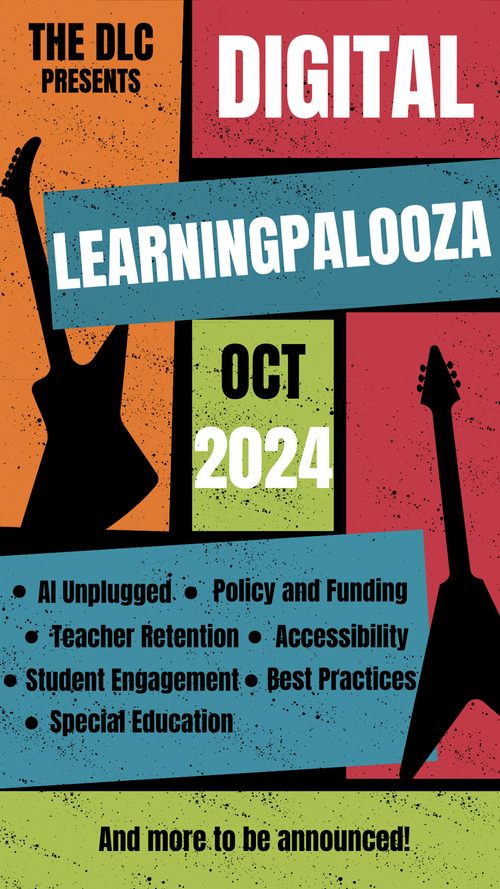
We are excited to announce that Learn21 is supporting the inaugural Digital Learningpalooza from the Digital Learning Collaborative this fall! As preparations are underway for this virtual festival, we want to hear from you about the tech tools that have made a significant impact on your teaching.
Share Your Go-To Tech Tool at the DLP Tech Tent
Are you using a digital tool that has revolutionized your online teaching? Do you have a favorite app or platform that you can't live without? We want to showcase the tools that make you a teaching superstar in our dedicated "Tech Tent" at Digital Learningpalooza 2024. This is your chance to:
- Highlight Your Essential Tech Tool: Share the tool that has transformed your teaching practice.
- Engage with Fellow Educators: Present your findings and expertise to a community of passionate educators.
- Earn Free Registration: Presenters will receive a complimentary ticket to Digital Learningpalooza 2024!
How to Participate
If you're interested, fill out the form below and tell us about your go-to tech tool. Explain how it's revolutionized your teaching and why it's indispensable. Selected presenters will give a 25-minute presentation during the event and must prepare a 2-5 minute trailer video beforehand.
Don't miss this opportunity to share your knowledge and score a free ticket. Fill out the form now and let your tech tool shine!
Cybersecurity for Teachers: Keeping Yourself and Your Students Safe Online
In today's digital age, cybersecurity is crucial for teachers who are increasingly reliant on technology for instruction and communication. Understanding what it means to be secure online, recognizing your role in safeguarding accounts, and knowing how to protect student data are essential skills. Here is a guide to help get you started.
What Does It Mean to Be Secure Online?
Being secure online means protecting your digital identity and data from unauthorized access, attacks, and breaches. This involves using strong passwords, multi-factor authentication, being cautious about the information you share, and staying informed about the latest cybersecurity threats.
Our Role in Cybersecurity
As educators, we play a pivotal role in maintaining a secure digital environment for ourselves and our students. Our behavior sets the tone for our students; by following best practices in cybersecurity, we model the importance of digital safety. Educating students about the importance of cybersecurity is part of our role. Making them aware of safe online practices, the dangers of sharing personal information, and the significance of strong passwords is essential. Furthermore, we must ensure that both our personal and our students' data is protected from breaches, which includes using secure platforms for communication and storage.
Tips for Staying Safe Online
To enhance cybersecurity in your classroom, there are several practical steps you can take. First, create complex passwords that are hard to guess, using a mix of letters, numbers, and symbols, and avoid using the same password across multiple sites. To help you in this quest, using a password manager can greatly increase the security of your passwords by allowing long, unique passwords for each service you use. Adding an extra layer of security, such as two-factor authentication (2FA), where a code is sent to your phone, can make it harder for unauthorized users to access your accounts. Ensuring that all your devices and applications are updated with the latest security patches helps protect against vulnerabilities that hackers could exploit.
Additionally, be wary of suspicious emails or messages that could potentially be phishing attempts. Avoid clicking on unknown links or attachments, and verify the sender's identity before providing any personal information. Greater sensitivity is required concerning student data, complying with privacy laws like the Family Educational Rights and Privacy Act (FERPA). Teach students to be skeptical of unsolicited emails and wary of social media scams.
Tips and Tricks
Treat your cell phone number like your social security number
Your cellphone number has become the gateway to several accounts, both online and in real life, and as such needs to be protected. It’s more than just a contact point; it’s often a key to accessing your digital life. Many services, including banking and social media platforms, use your cellphone number for verification purposes. This makes it a valuable target for hackers and scammers. Protecting your number helps safeguard your identity and personal information from unauthorized access, potentially saving you from significant headaches and financial loss.
Getting a second number, either through Google Voice or even a prepaid plan, is a great way to separate close friends & banking accounts from your grocery and work acquaintances. This strategy creates a clear boundary between different aspects of your life. Using a secondary number for less critical interactions can prevent unwanted calls and messages from cluttering your primary line. It also adds an extra layer of security by keeping your primary number more private and less susceptible to potential breaches.
Only give out your personal number to family, close friends, and your security-sensitive companies like your bank. This also helps cut down on stressful calls such as scammers pretending to be your bank. If the call is coming to your second number, you know it can't be the bank because you have never given them that number. This simple step can reduce the likelihood of falling victim to phone scams and identity theft. By being selective about who has your primary number, you maintain better control over your communications and protect your peace of mind.
Setting up multi-factor authentication
One of the first steps to securing your online accounts is to set up multi-factor authentication. Multi-factor authentication (MFA) is a security system that requires more than one method of authentication to verify a user's identity. This means that even if someone has your password, they still need an additional form of verification to access your account. Typically, MFA combines something you know (like your password) with something you have (like your phone) or something you are (like a fingerprint). This additional layer of security significantly reduces the chances of unauthorized access to your accounts.
There are two main ways of doing multi-factor authentication: texting or an authentication app. Text-based MFA sends a unique code to your phone via SMS, which you then enter to complete the login process. While convenient, this method can be vulnerable to SIM swapping attacks. On the other hand, authentication apps, such as Google Authenticator, Authy, or Microsoft Authenticator, generate time-sensitive codes on your device. These apps offer a higher level of security since the codes are not transmitted over the network, making them less susceptible to interception.
Each service will have a different way of setting up MFA. If you have the choice between texts or an authentication app, pick the authentication app. Authentication apps are more secure and reliable since they don't depend on your phone number, which can be hijacked. Most platforms provide clear instructions for enabling MFA, and it’s usually a straightforward process involving scanning a QR code with your authentication app. By opting for an authentication app, you enhance your account's security and make it significantly harder for potential attackers to gain access.
Extra Credit
Cybersecurity researchers have identified the largest password leak ever, with nearly 10 billion passwords exposed in the RockYou2024 compilation. Posted by a user on a popular hacking forum, this list provides an extensive tool for hackers to perform brute force attacks. Educators are advised to update their passwords and enable multi-factor authentication to protect their accounts. This leak surpasses previous records and significantly raises the risk of credential stuffing attacks.
The real AI revolution will be invisible as AI hardware by companies like Qualcomm, NVIDIA, AMD, and Intel work to enable more efficient on-device AI processing. This advancement is already enhancing applications such as audio mixing software and accessibility tools, moving away from the current trend of intrusive AI chatbots. The focus is on integrating genuinely useful AI features into everyday applications, ultimately making devices smarter and more efficient without relying on external servers. The AI revolution will transform software functionality seamlessly, rather than through flashy and often unnecessary AI gimmicks.
A new study has identified "excess words" that have become significantly more frequent since the emergence of large language models (LLMs). Researchers analyzed 14 million PubMed abstracts from 2010 to 2024 and discovered that certain words like "delve" and "comprehensive" surged in usage post-2023, suggesting LLM involvement. They estimate at least 10% of 2024 abstracts were likely aided by LLMs. This understanding is crucial as LLMs can produce authoritative-sounding but inaccurate text, highlighting the need for better detection methods.
🙋♂️ Bytes and Insights is written by Eduk8me’s Ryan Collins who writes about education and educational technology. He is also the Director of Technology for Kenton City Schools in Ohio. Sign up for his Of Bits and Bytes newsletter at https://eduk8.me!